
Design type — night lighting
Night lighting, shown on your own house at dusk.
Lighting is the line item most likely to be cut, because it is the hardest one to imagine from a quote. PlotVisionAI™ renders the lit version of your property into the same frame as the unlit one, so the difference is a picture instead of a promise.

Lights off, lights on
One frame, one dusk, only the light changes.
The reveal plays once when the pair scrolls into view, and the Replay control runs it again.


AI concept visualization
Three ways light gets used on a house
-
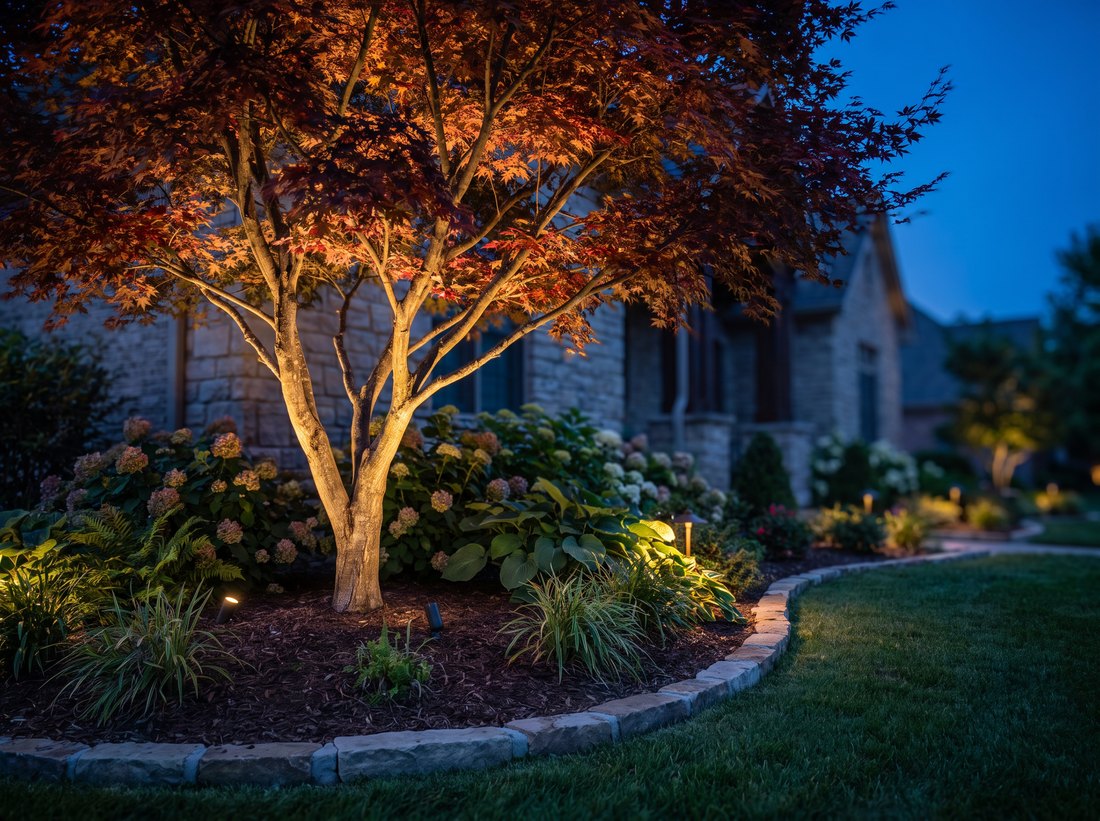
Specimen tree uplighting Two fixtures through a canopy give the yard depth well past the patio edge. -
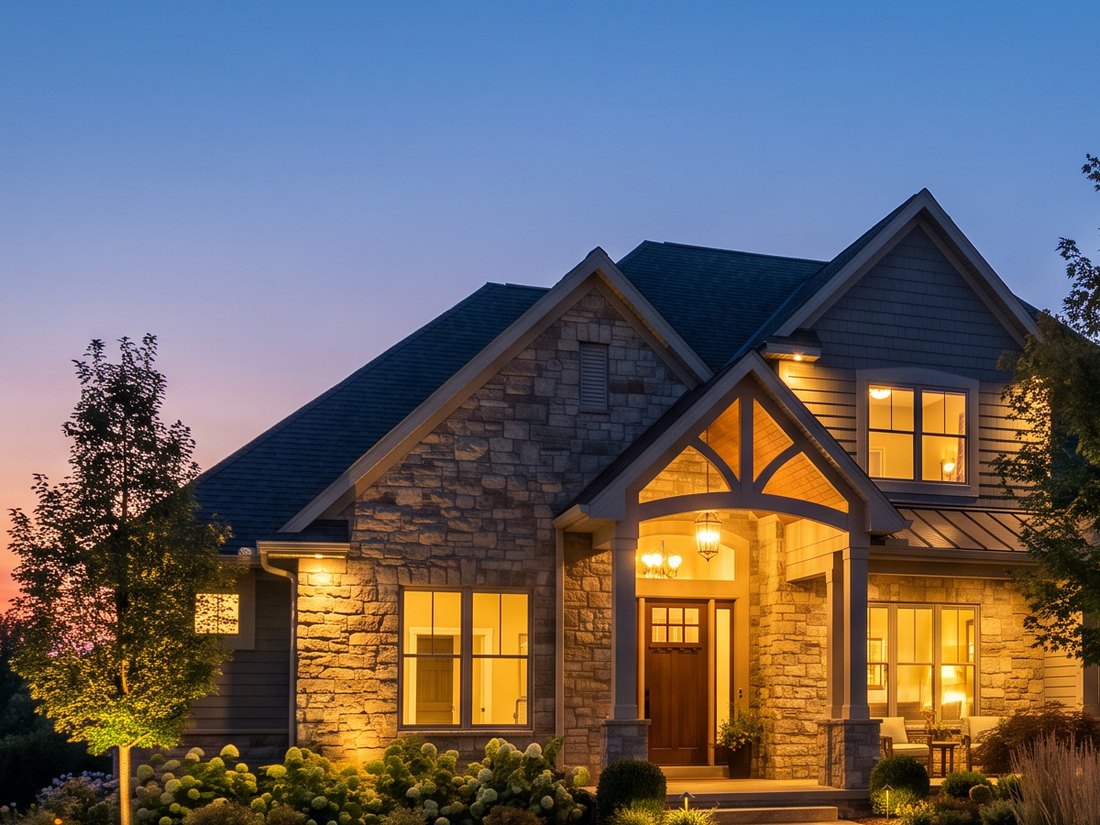
Architectural grazing on stone Light skimmed up a textured face makes the stone read at night instead of disappearing. -
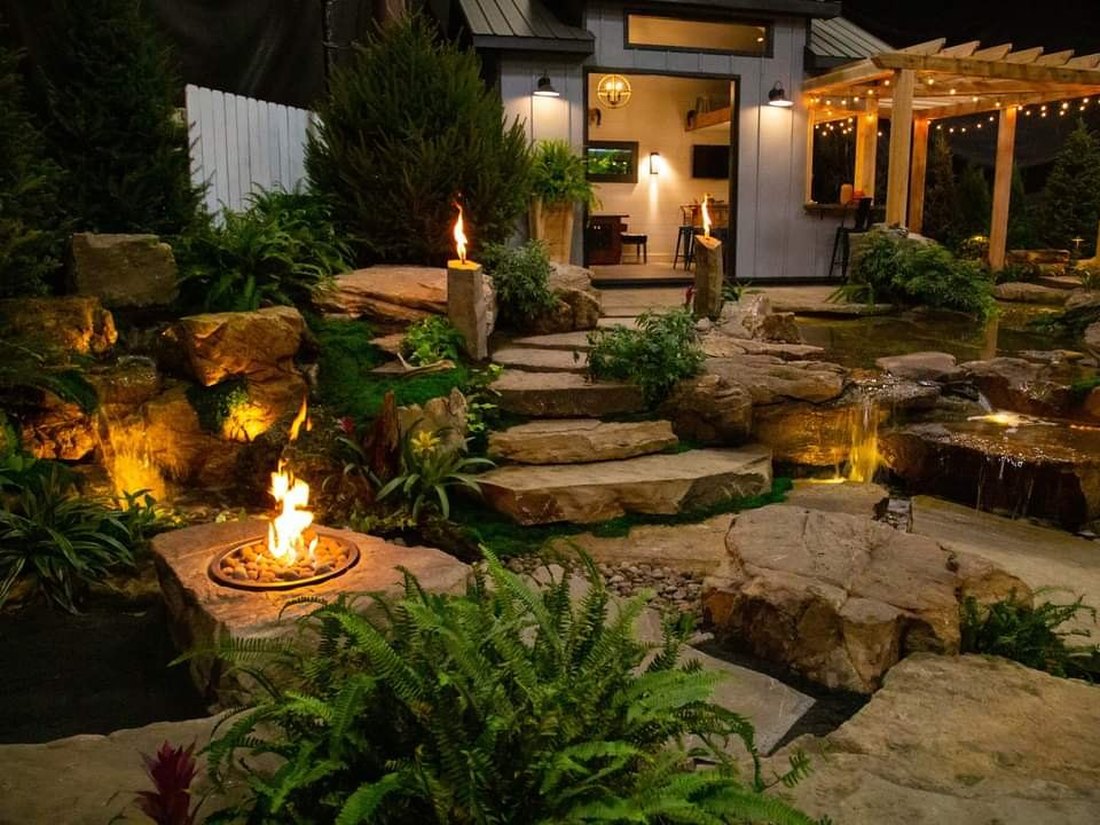
Path and step lighting A finished Landforms Design project. Grade changes get lit for footing first, effect second.


Supporting examples of lighting technique, not a portfolio claim: the finished project photograph is Landforms Design work, and the two frames marked AI concept visualization are generated studies. Neither is the property in the pair above.
What a lighting concept settles
Layers, warmth and where the light is not.
Good landscape lighting is a set of deliberate layers at low output, not a floodlit yard. A concept is how you decide which layers you are paying for. PlotVisionAI is used by homeowners and landscape professionals worldwide, and it works on any property you can photograph — anywhere in the world.
The layers worth having
- Path and step light for footing, first and always.
- Uplighting on specimen trees to give the yard depth past the paving.
- Grazing on stone or textured facade so the house still reads at night.
- Low accents in beds, used sparingly, to keep planting from going flat black.
Warmth, output and restraint
Warm colour temperature around 2700K flatters planting and masonry; cooler light makes both look clinical. Output matters less than placement, and the darkness left between fixtures is what makes the lit parts read at all. A concept is the cheapest way to see that balance before fixtures are bought.
Spill and neighbours
Where light lands off your property is a real design constraint, and it is much easier to discuss over a rendered frame than after the transformer is in.
What a lighting concept does not decide
The picture is not an electrical design. Fixture schedules, lumen output, beam spread, transformer sizing, wire runs and gauge, voltage drop, splices, mounting detail and local electrical code all belong to a qualified installer. Nothing on this page should be read as a photometric plan.
Lighting is also the layer that finishes other design types. It is what makes a patio usable after nine in the evening, what keeps wall steps safe, and what extends play on a Backyard Sports Center™ court into the hour after a game finishes.
Design types
The other things PlotVisionAI can draw on your property
Each design type has its own page, with the questions that type of project actually has to answer before anyone builds it.
Design anywhere. PlotVisionAI™ for iPhone and Android.
The same workflow as the web tool, in your pocket on site: photograph the yard where you are standing, direct the concept, and spend credits from the same account. Built for homeowners and landscape professionals worldwide.
Get the app Join mobile early access
The full web app is live now at getplotvisionai.com on phone, tablet and desktop. Native App Store and Google Play versions are planned.


Scan for the mobile appOpens the PlotVisionAI app page on your phone
Next step
Want to see your house lit before you buy fixtures?
Open the PlotVisionAI app with a photo taken at dusk if you can, or in daylight if you cannot.